

Issue #16
Branch Less, Ship More! 🚀
Today, we're talking about the elephant in your git repository - those never-ending feature branches that are killing your productivity.
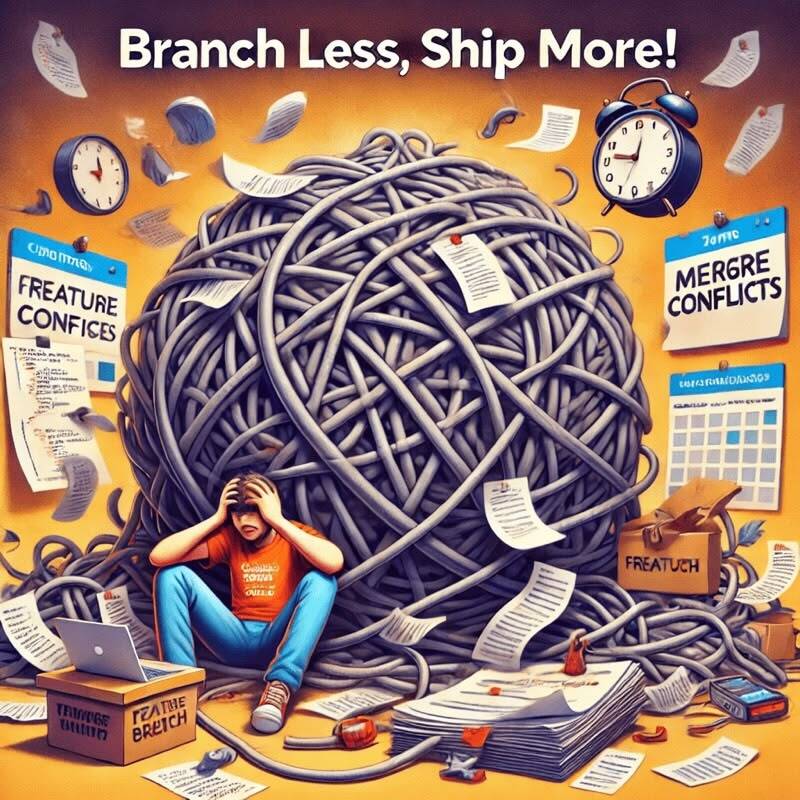
Hey there, developrrrs! 👋 Today, we’re talking about the elephant in your git repository - those never-ending feature branches that are killing your productivity. Get ready for some tough love about why your branching strategy might be secretly sabotaging your team’s velocity (and sanity).
🤿 Deep Dive
I once watched a team spend three days resolving merge conflicts from a feature branch that had lived longer than most house plants. The branch was supposed to be a “quick two-week effort.” Three sprints later, it had become a merge conflict monster that made grown developers cry. But hey, at least they kept the main branch “clean,” right?
According to the State of DevOps Report 2024, 60% of organizations are still releasing code on a monthly or quarterly basis. This isn’t a deployment schedule - it’s a hostage situation. Feature branches are often the kidnappers.
💸 The Hidden Tax of Feature Branches
Let me paint you a picture of feature branch hell: A team I worked with was building a new checkout flow. Simple enough, right? They created a feature branch and got to work. Two weeks in, another team deployed changes to the payment system. Three weeks in, the design team wanted UI updates. Four weeks in, security required new validation rules.
Each of these changes happened on main while our feature branch grew staler by the day. When they finally merged six weeks later, they discovered their code was so out of sync with main that they had to rewrite/refactor a large portion of the feature. What was supposed to be a three-week project took six weeks - and two of those weeks were just dealing with merge conflicts and integration issues.
This isn’t just about lost time. It’s about:
-
The context-switching tax when developers have to remember what they did three weeks ago
-
The review burden of massive PRs that nobody wants to look at
-
The integration bugs that only show up when you finally merge
-
The false sense of security that keeps you from learning how to ship incomplete features safely
I’ve seen teams spend more time managing their feature branches than actually writing code. It’s like having a personal assistant who takes longer to explain your calendar than it would take to just manage it yourself.
🌟 Enter Trunk-Based Development
Here’s where trunk-based development comes in - it’s not just a different branching strategy, it’s a completely different way of thinking about code delivery. Instead of long-lived feature branches, you work in small increments directly on main (or trunk), using feature flags to hide incomplete work from users.
I hear it all the time: “Sure, trunk-based development works for Google, but we’re different.” Here’s the thing: Google isn’t using trunk-based development because they’re Google. They’re successful partly because they use practices that work. They learned the hard way that long-lived branches kill productivity and developer happiness.
Small companies actually have an advantage here. You can move faster, make decisions quicker, and change practices without navigating layers of bureaucracy. You don’t need Google’s infrastructure to implement trunk-based development - you just need to stop being afraid of shipping small changes.
🎭 Making the Switch Without the Drama
Here’s how real teams make the transition:
- Start with your CI pipeline
-
Get those tests running fast because trunk-based development requires quick feedback
-
Make the build reliable - flaky tests will kill developer confidence in shipping small changes
-
Set up automated code quality checks to catch issues before they hit main
- Implement feature flags
-
Start simple - even a basic boolean flag is better than nothing
-
Make it easy to turn features on/off in production - this is your safety net for shipping incomplete work
-
Build confidence in your flagging system through gradual rollouts and easy rollbacks
- Shrink your batch size
-
Break down those month-long features into day-sized chunks that can ship independently
-
Ship incomplete features behind flags so you can integrate continuously without affecting users
-
Get comfortable with having partially done work in production - it’s better than having a massive merge bomb waiting to explode
- Change your metrics
-
Stop measuring progress by branch completion - it incentivizes keeping branches alive too long
-
Start measuring deployment frequency because it encourages smaller, safer changes
-
Track time from commit to production to highlight integration bottlenecks
The impact on developer experience is profound. Teams that make this switch report higher job satisfaction, less stress, and more time spent actually coding instead of resolving merge conflicts.
I can make this statement because I’ve seen these benefits first-hand. One developer told me their stress levels dropped dramatically when they no longer had to worry about mega-merges every few weeks. Another mentioned how much easier it was to experiment with new features when they could easily toggle them off if something went wrong.
💥 Common Failure Modes to Avoid
Don’t make these rookie mistakes:
-
Trying to switch the whole company at once
-
Not having feature flags in place first
-
Keeping your old review process that assumes giant PRs
-
Not updating your deployment pipeline for higher frequency
The most common failure? Not preparing your team for the mental shift. Trunk-based development isn’t just a technical change - it’s a cultural one. You’re moving from “perfect but slow” to “good enough, right now.”
💡 The Bottom Line
Feature branches are like tech debt with compound interest - the longer they live, the more they cost you. Trunk-based development isn’t just for tech giants; it’s for any team that wants to move faster and stress less. The improvement in developer experience alone makes it worth the switch.
Your Monday morning action items:
-
Set up a feature flagging system
-
Pick your smallest service for a pilot
-
Start breaking down those massive features
-
Get comfortable with incomplete features in production
Stay trunk-based! 🌳
Powered by coffee ☕️ and the satisfaction of never having to type git merge main again
📊 Stat
94% of Organizations See Platform Engineering as Key to DevOps Success
The 2023 State of DevOps Report found that 94% of respondents agree platform engineering helps them better achieve DevOps benefits. With 68% reporting increased development speed and 60% citing improved reliability, platform engineering is proving critical for modern enterprise software delivery
💡 Key Insight: Platform engineering isn’t just a trend—it’s a vital enabler for DevOps maturity.
📌 Essential Reads
🤖 GitHub Universe 2024 Unveils AI Innovations and Developer-Centric Tools. GitHub Universe 2024 showcased significant updates emphasizing developer autonomy and AI capabilities. Highlights include multi-model support for Copilot, the introduction of AI-driven GitHub Spark, enhanced security features, and improved workflows in popular IDEs. These advancements aim to democratize coding and empower developers to harness the full potential of artificial intelligence.
📈 The State of Developer Ecosystem 2024: AI Adoption and Leading Languages. JetBrains’ latest report delves into current developer trends, highlighting the unstoppable rise of AI adoption in development workflows. It also examines leading programming languages and their impact on developer experience, providing insights into the evolving landscape of software development.
🚀 Supercharging the Developer Experience with AI. This article explores how the strategic use of artificial intelligence can remove friction from the software delivery process. By taking over less appealing work, AI can speed up deployment cycles and allow developers to focus on more complex tasks. The piece highlights the benefits of AI in enhancing productivity and satisfaction among developers.
🛠️ Tools
-
Runnerty is a process automation tool that orchestrates workflows and dependencies across various systems and APIs.
-
Task is a task runner and build automation tool that uses a simple YAML configuration file for defining workflows.
-
Typos is a CLI tool for catching and fixing spelling errors in code, comments, and documentation with minimal configuration.
Get the next issue on Thursday
5-minute weekly reads showing how top engineering teams solve their biggest DevEx challenges and reduce burnout.
Subscribe for freeDelivered every Thursday. Trusted by 3,000+ engineers at companies like Stripe, Google, and Netflix.