

Issue #3
The Force Multiplier: Tools That Power High-Performing Engineering Teams 🚀
Think of NASA’s mission control, with every console tracking data and every system communicating flawlessly. A great tooling stack is just as seamless.

Hey devs! 👋 Nothing like a last-minute newsletter rush to get the adrenaline flowing (and yes, I did just finish writing this while chugging my second espresso).
Last week, we broke down the fundamentals of stellar DevEx, and today, we’re diving into the real MVPs: the tools that turn good engineering teams into great ones.
According to Coding Sans, developers spend a mere 27% of their time actually writing code – which hits a bit too close to home as I scramble to hit ‘send’ on this newsletter. So grab your coffee, and let’s explore the tooling that can transform your team from a garage band to a well-oiled rock orchestra.
🤿 Deep Dive
Think of NASA’s mission control, with every console tracking data and every system communicating flawlessly. A great tooling stack is just as seamless. Meanwhile, most of us are stuck in what feels like Edward Scissorhands trying to make a sandwich.
Last week, we broke down the key elements of stellar DevEx. Today, let’s dive into the backbone of it all: your tooling stack. Because let’s face it, your tools should spark joy, not Stackoverflow searches, at 3 AM.
📊 The Cost of Bad Tooling: It’s Not Just Your Sanity
According to the State of Software Development 2023 report by Coding Sans, developers spend 27% of their time writing code, while the remaining 73% is allocated to activities like code maintenance, code reviews, testing, debugging, and meetings. That’s like buying a Ferrari but spending most of your time changing its oil.
On one of my previous teams, we tried to save money by cobbling together free tools and duct-tape solutions. Spoiler alert: Those “savings” cost us three months of developer productivity and enough energy drinks to fill an Olympic pool.
🎯 Beyond the Basics: Tools That Actually Move the Needle
Look, we all know about IDEs, Git, and package managers. They’re like knowing you need a kitchen to cook – obvious but not insightful. Let’s talk about the tools that actually transform your workflow:
1. Internal Developer Platforms: Your Digital Command Center
A case study by American Airlines revealed that implementing Backstage (an open-source tool from Spotify) as their internal developer portal reduced the time to set up new services by 75%. This streamlined approach not only accelerated onboarding but also boosted overall developer productivity. But why do they matter so much? Here’s the real deal:
Context Switching Killer: Instead of jumping between 15 different bookmarks, everything lives in one place. Our team saved 2-3 hours per week after setting up Backstage.
Standardization Without Tears: Templates for everything from services to documentation mean teams spend less time arguing about structure and more time building. My team reduced new service creation time from 2 days to 20 minutes using Backstage’s software templates.
Service Catalog That Works: Ever tried finding who owns a service at 2 AM during an incident? We integrated Backstage with our CI/CD pipeline and turned our architecture from a mystery novel into an open book. 60% faster incident resolution times.
2. Observability Tools: Because Finding Bugs Across 12 Microservices is Fun (Said No One Ever)
Remember when debugging meant adding a print statement and refreshing the page? Yeah, those days are gone. Now, your “simple” user request bounces between a dozen containerized services like a pinball machine, and finding the root cause feels like solving a murder mystery where all the witnesses are containers that died minutes ago.
The real magic happens when you get your observability tools working together. Here’s how we tackled this at a previous company:
The Observability Trinity: OpenTelemetry, Jaeger, and ELK Stack
OpenTelemetry is your data collector - think of it as the journalist who interviews everyone and collects all the stories. It standardizes how we collect:
-
Traces (the journey of a request through your services)
-
Metrics (the vital signs of your systems)
-
Logs (the detailed play-by-play of what happened)
Jaeger is your detective - it takes those traces from OpenTelemetry and helps you visualize and analyze the crime scene. I remember when we had an API timeout that was driving us nuts. Jaeger showed us that what should have been a simple 3-service hop was actually:
Frontend → Auth → Service A → Auth (again!) → Service B → Auth (yet again!) → Database
No wonder it was timing out! Without tracing, we’d still be arguing about which service was the bottleneck.
ELK Stack is your historian - it stores and indexes your logs, making them searchable and analyzable. But here’s where it gets interesting:
How They Work Together
-
OpenTelemetry adds trace IDs to every log message and metric. Think of it as putting a unique case number on every piece of evidence.
-
Cross-Referencing: When Jaeger shows you a slow service in the trace, you can click through to see all related logs in Elasticsearch. It’s like having a time machine that shows you exactly what each service was thinking during that slow request.
-
Context Propagation: OpenTelemetry ensures that when Service A talks to Service B, all the context (user ID, request ID, etc.) gets passed along. We reduced our debugging time by 70% just by implementing this properly.
Real-world example:
-
Alert: Transaction Processing Time > 5s
- An alert is triggered because transactions take longer than acceptable, indicating a performance issue.
-
Jaeger Trace: Shows request stuck in Auth service
- Using Jaeger, you trace the transaction and discover that requests are delayed in the Authentication service.
-
ELK Logs (same trace ID): Auth service waiting for cache
- By examining the logs in the ELK Stack with the same trace ID (thanks to OpenTelemetry’s context propagation), you find that the Auth service is waiting for a response from the cache.
-
Metrics: Cache hit rate dropped to 20%
- Metrics reveal that the cache hit rate has significantly dropped, suggesting the cache isn’t serving requests efficiently.
-
Root cause: Cache eviction policy needed tuning
- The cache eviction policy is too aggressive or misconfigured, causing frequent cache misses and forcing services to wait for data retrieval from slower storage layers.
Before this setup, finding this would’ve taken hours of developers saying “works on my machine” in Slack.
Metrics That Matter
We pipe everything into Prometheus (open source) and visualize with Grafana (open source). But here’s the key: we don’t just track basic metrics. We use OpenTelemetry to add business context to our metrics:
-
Request paths (to catch circular dependencies)
-
Business outcomes (success/failure by customer tier)
-
Service dependencies (to spot cascade failures)
One dashboard even shows us our “microservice spaghetti index” - how many services a typical request touches. If this number starts creeping up, it’s time to reconsider our architecture.
3. Code Quality Tools: Beyond “Line Too Long” Warnings
The SonarQube Community Edition found teams using smart quality gates experienced up to a 20% reduction in code defects. But the real magic is in how you use these tools:
Static Analysis That Helps: SonarQube CE doesn’t just complain – it teaches. We integrated it with GitHub Actions (free for open source) to automatically categorize and prioritize issues.
Automated Dependency Updates: Renovate Bot (open source) is like having a security-conscious roommate who actually remembers to buy new locks when the old ones are compromised. It automatically creates PRs for dependency updates, grouping them logically and running your tests. We caught three critical vulnerabilities last month before they became incidents. Pro tip: Configure it to batch updates by ecosystem (npm, pip, etc.) to avoid PR fatigue.
Security Without Tears: Using semgrep (open source) for security scanning meant our developers actually fixed issues instead of ignoring them. Plus, its rules are written in a way that humans can actually understand.
Dependency Chain Analysis: Combining Renovate with Snyk’s open source vulnerability database gives you a clear picture of your dependency health. It once caught a critical vulnerability six layers deep in a transitive dependency - something we would’ve missed in our security reviews.
4. Development Environment Managers: Because “Works on My Machine” Should Be a Feature
The 2021 State of DevOps Report by Puppet found that organizations standardizing and automating their development environments with tools like DevContainers (open source spec from Microsoft) experience less than half the change failure rate of those that don’t. This standardization leads to more reliable deployments and fewer environment-related issues. Here’s the real impact:
Instant Onboarding: Using a combo of DevContainers and GitHub Codespaces (free for open source), we cut onboarding time from two weeks to two hours.
Reproducible Environments: Nix (open source) ensures everyone has exactly the same setup, down to the package versions. Our “works on my machine” tickets dropped by 90%.
Local Development That Flies: Lima (open source) for macOS and Podman (open source) for Linux provide near-native performance while using fewer resources. Developers on my team got back an average of 45 minutes per day previously lost to environmental issues.
📜 The Golden Rules of Tool Selection
-
Start With Pain Points: Don’t buy a jackhammer when you need a screwdriver
-
Consider the Learning Curve: If it requires a PhD to operate, maybe keep looking
-
Check Community Support: Active open source communities are worth their weight in gold
-
Evaluate Integration Capabilities: Tools should talk to each other better than your family at Holidays
-
Mind the Budget: Open source doesn’t mean free to operate, but it often means freedom to adapt
🎭 A Personal Tool Tale
Last year, a team I advised switched their entire CI pipeline to Tekton (open source) because their old system had more random failures than a college student’s dating life. The migration took two sprints and approximately 47 cups of coffee but cut our build times by 70%. Sometimes, the best tool is the one that lets you sleep at night.
Next week, we’ll tackle documentation – the vegetable of the development world. Everyone knows they need it, but nobody wants to deal with it. Until then, remember: your tools should work for you, not the other way around.
P.S. If your current tooling stack makes you want to become a goat farmer, it might be time for an upgrade. Trust me, the goats aren’t worth it. I checked.
📊 Stat
42% of Devs Are Playing Production Russian Roulette
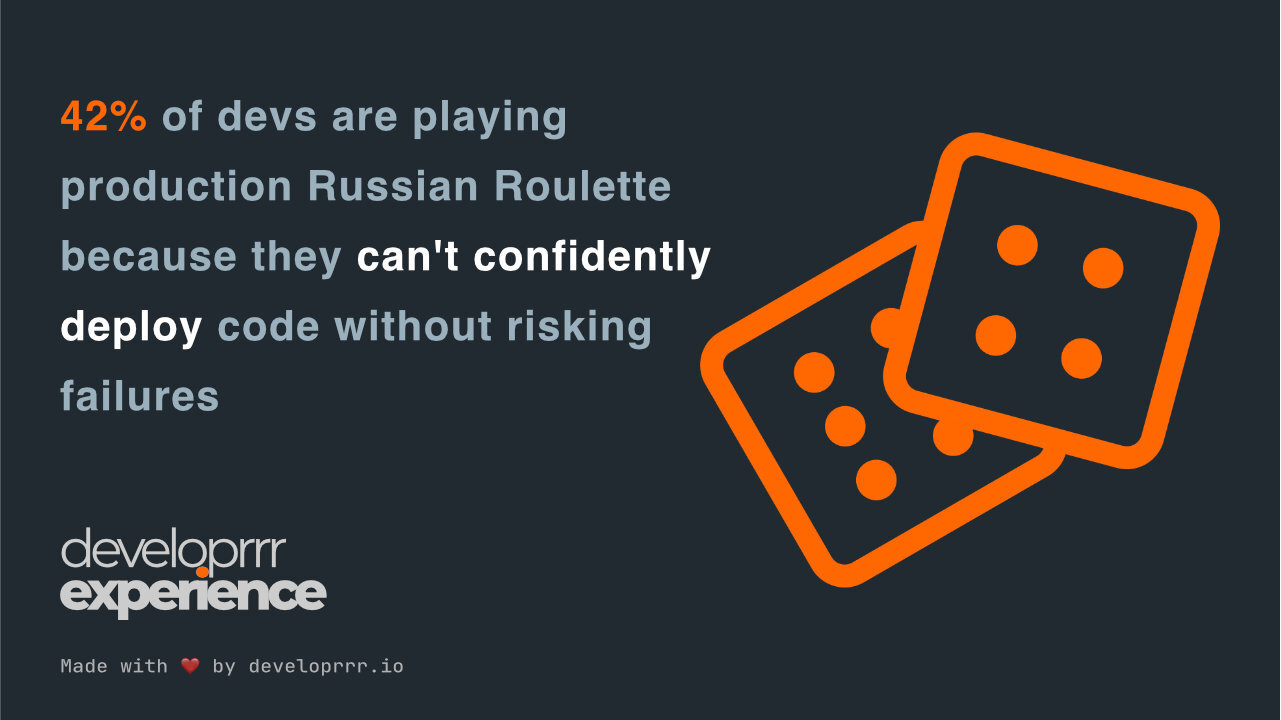
🎲 42% of devs are playing production Russian Roulette because they can’t confidently deploy code without risking failures. It’s 2024, yet nearly half our industry is playing a high-stakes game of “hope this works” with every release. This isn’t just about developer anxiety – we’re talking potential revenue losses of millions of dollars per hour during critical outages. For a profession that prides itself on automation and reliability, we’re still remarkably uncertain about one of our most crucial operations. Maybe it’s time we treated deployment confidence with the same urgency as we do our coffee supply? ☕
📌 Essential Reads
🚀 10 Principles for Creating a Great Developer Experience. This article outlines ten strategies to enhance Developer Experience (DevEx), including standardizing tools, addressing technical debt, and fostering a culture that avoids burnout. By implementing these principles, organizations can improve developer satisfaction and productivity.
🤔 Why Developer Experience is More Important than Productivity. This piece discusses the relationship between DevEx and productivity, emphasizing that a positive developer experience leads to better outcomes. It highlights the importance of understanding developers’ perspectives and creating an environment that supports their needs.
💼 Why Companies Are Implementing the Developer Experience Job Position. This article explores the emerging role of Developer Experience professionals who bridge the gap between development and administration. It discusses how these roles streamline toolsets and interfaces, enhancing overall efficiency and developer satisfaction.
🛠️ Tools
-
Salt Project is an open-source automation framework for managing and configuring IT infrastructure at scale.
-
Obsidian is a versatile note-taking and knowledge management application that allows users to create, link, and visualize notes using Markdown, facilitating the organization of complex information. Shoutout to Kyle for introducing me to this one!
-
LocalStack is a fully functional local AWS cloud stack that enables developers to test and develop cloud applications offline.
Get the next issue on Thursday
5-minute weekly reads showing how top engineering teams solve their biggest DevEx challenges and reduce burnout.
Subscribe for freeDelivered every Thursday. Trusted by 3,000+ engineers at companies like Stripe, Google, and Netflix.